

The Linux distribution where every coding agent works as one team.
AgentUX ships Claude Code, Codex, OpenCode and Antigravity CLI already installed and wired together on an immutable Fedora base: one cockpit over all of them, an agent bus so they can talk to each other, and an orchestrator that takes an issue to a reviewed pull request.
Pre-release. Fedora Kinoite 44 with bootc, signed images, x86_64 and aarch64. What is tested so far
Bring every agent you already pay for
Running agents in parallel worktrees is solved. Getting agents from different vendors to work on the same task, and keeping track of them, is not. AgentUX does that part, and leaves inference with the providers: your own logins and API keys, no GPU required.
- One interface for every vendor
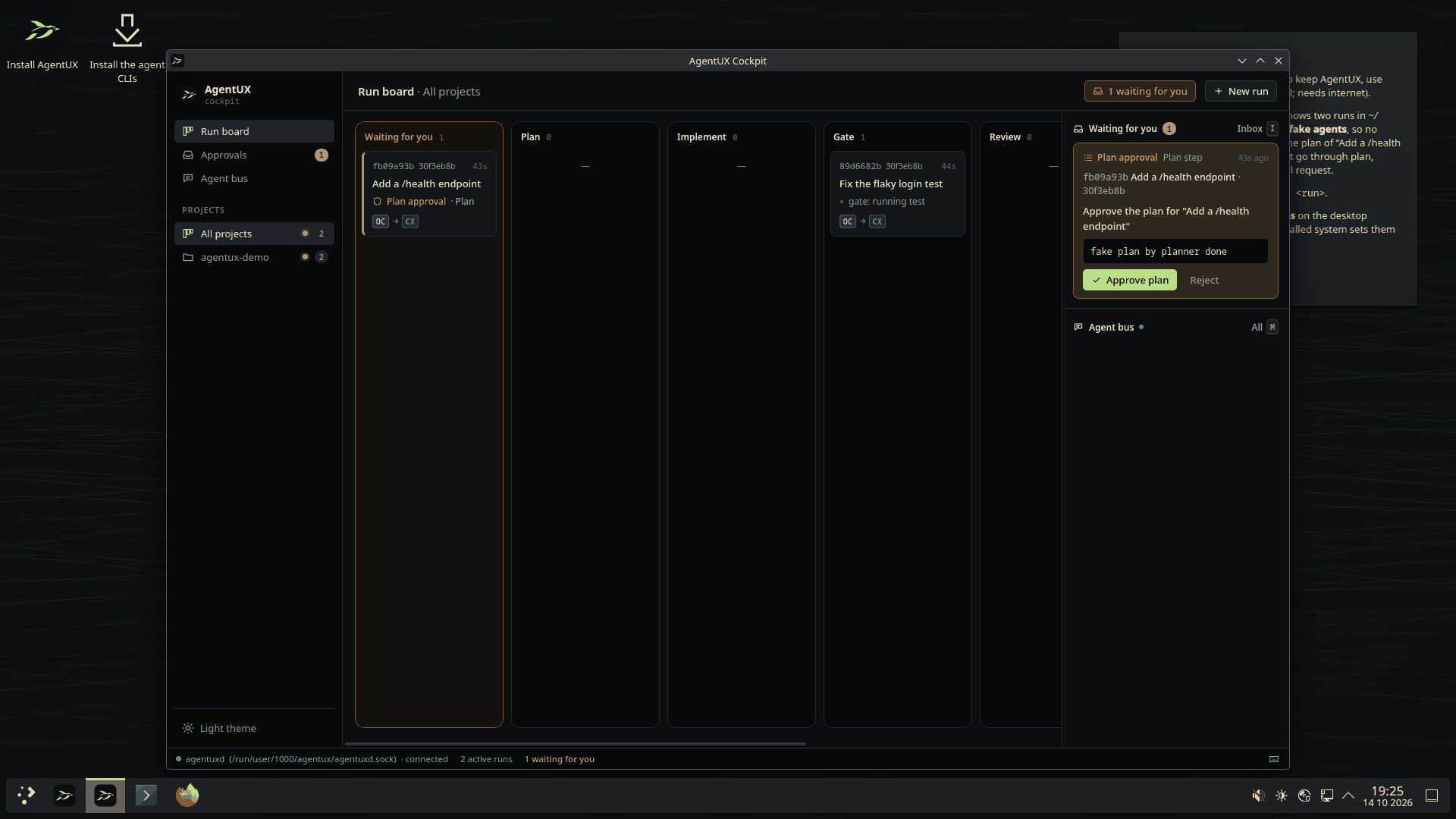
- Sessions, diffs and permission requests from any harness look the same in the cockpit, and land in one approvals inbox. The vendor's own TUI is always one key away.
- Agents that talk to each other
- An implementer can ask a reviewer from another vendor to check its diff, hand off a task, or escalate a decision to you, through a mediated bus where every message is logged.
- From issue to reviewed pull request
-
The pipeline (plan, implement, test, review, open the PR) is declared in
agentux.yamland versioned with your repository. You are asked only for the decisions that are yours. - A system agents cannot break
- An immutable, image-based OS with one-step rollback. Every task runs in its own git worktree, and gate checks can run in rootless Podman.
One platform, from the node to the organization
AgentUX is becoming a suite: local nodes execute the work, while a remote command center lets leadership see missions, teams and operations across the organization.
- AgentUX OS
- The immutable Linux station for running agents locally, with the cockpit, vendor CLIs and safe rollback.
- AgentUX Core
- The local runtime: worktrees, ACP sessions, approvals, gates, agent bus and pull-request automation.
- AgentUX Command
- The remote control plane for organizations, missions, governance, telemetry and multiple AgentUX nodes.
- AgentUX Office
- A visual command center where leadership can see departments, agents, missions and incidents as they unfold.
Install the role you need
One signed AgentUX image can become a workstation, a remote node, a Command server or an executive Office screen. The installer records the role and first boot activates only the selected platform capabilities.
- Workstation
- Local node plus the desktop cockpit for people building and reviewing work.
- Node
- Headless execution and registration for machines managed remotely.
- Command
- The optional organization control plane, isolated in rootless containers.
- Executive
- A lightweight remote Office view with no local orchestration stack.
What it looks like
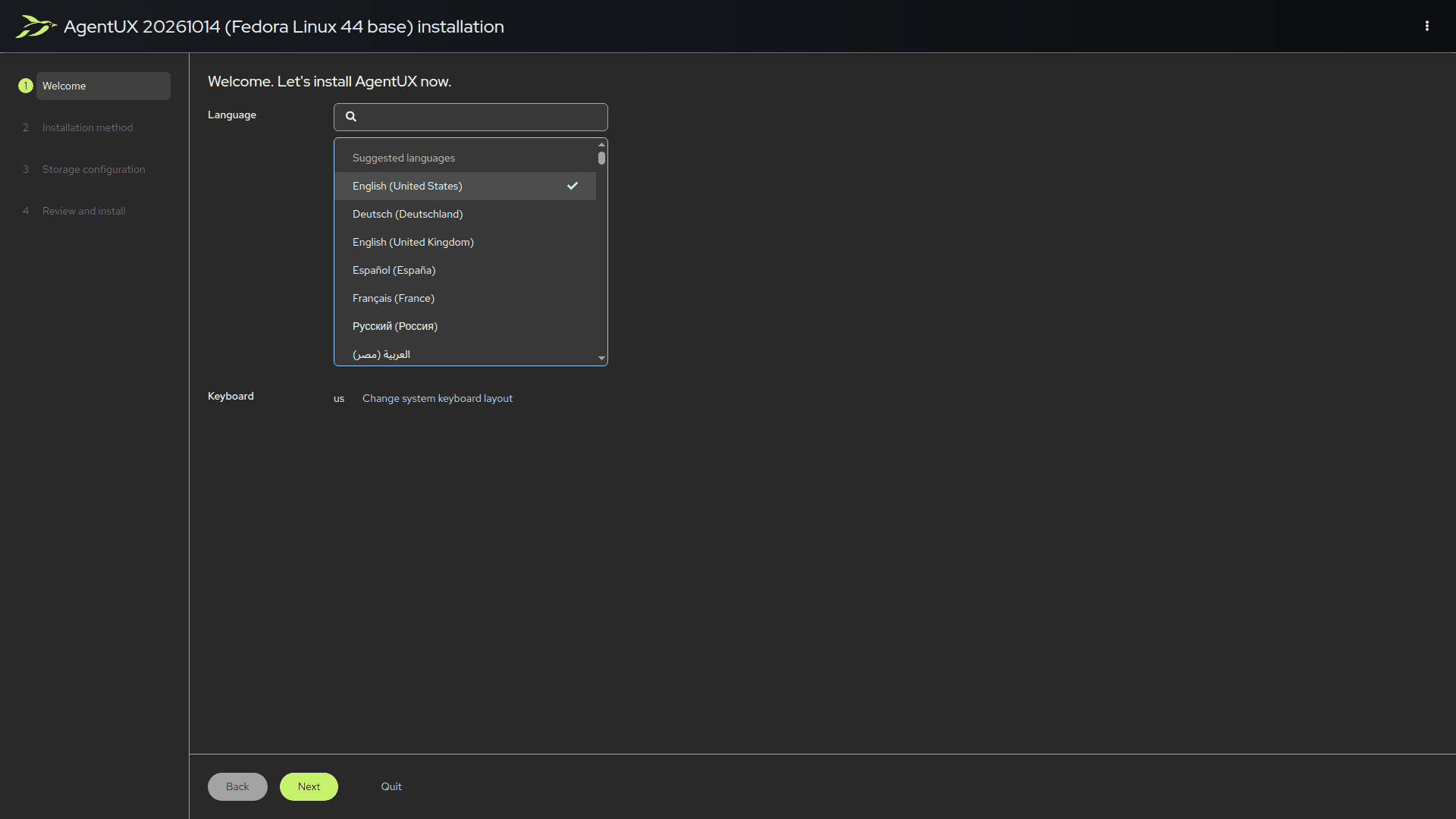
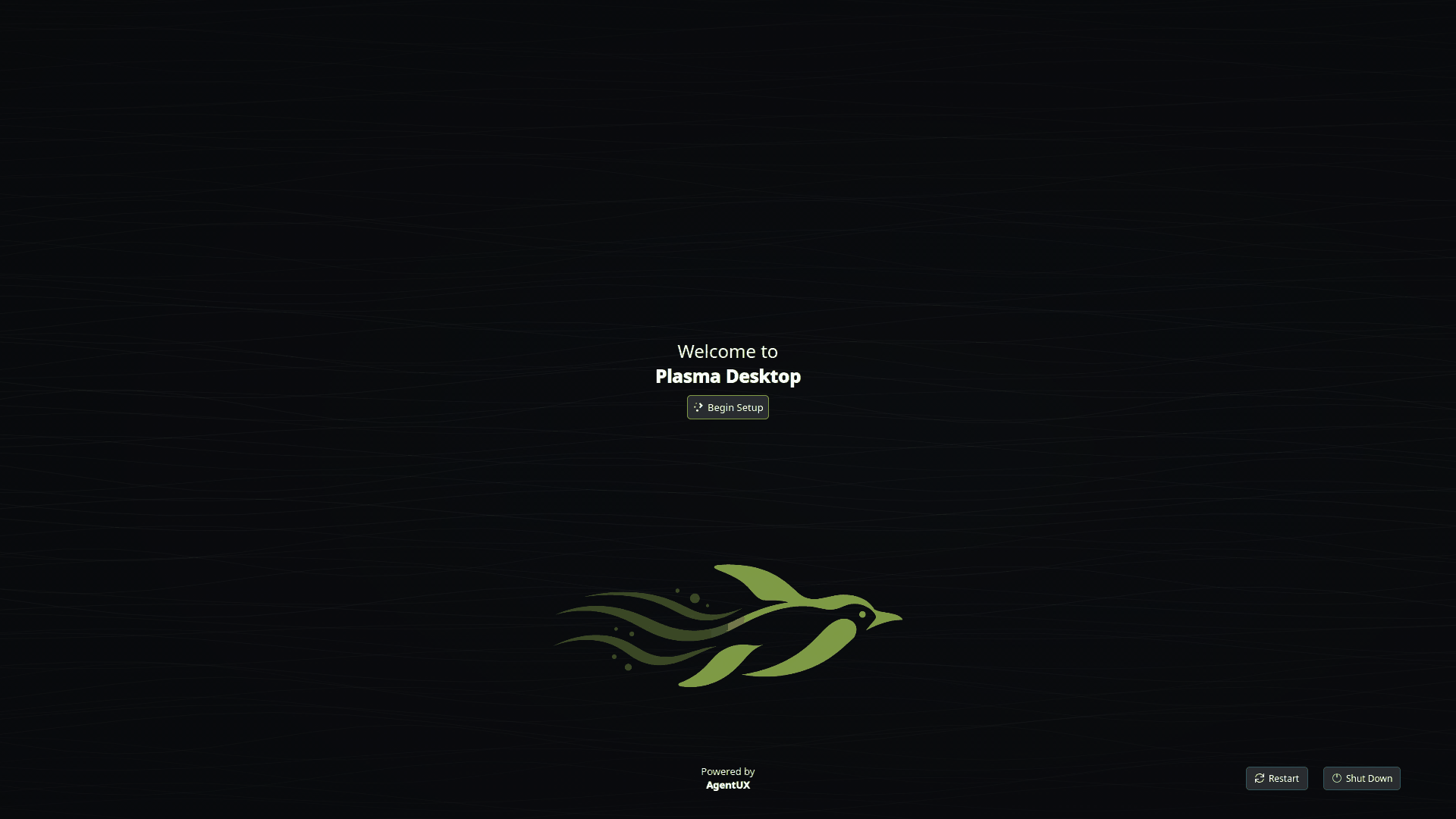
Captured by CI from the real images booted in QEMU. The runs on screen use fake agents, so nothing is billed.
How a run works
Hand AgentUX an issue or a prompt, from the cockpit or the aux CLI. This is what happens next.
- AgentUX creates a git worktree and a branch for the task.
- A planner writes a plan, and waits for your approval if the pipeline asks for it.
- An implementer harness works in the worktree. Its session streams to the cockpit.
- Tests and linters gate the result. Failures loop back to the implementer, up to a limit.
- A reviewer from a different vendor reviews the diff, and talks to the implementer over the agent bus when it needs to.
- AgentUX opens the pull request.
agentux.yaml, the default pipeline, shortened
roles:
  planner:     { harness: claude-code }
  implementer: { harness: claude-code }
  reviewer:    { harness: codex }   # another vendor

pipeline:
  - step: plan
    approve: true            # wait for you
  - step: implement
  - step: gate
    checks: [lint, test]
    on_fail: implement
    max_attempts: 3
  - step: review
    on_changes_requested: implement
  - step: pull_request
The parts
- Harnesses over ACP
- Each provider's own CLI, driven through the Agent Client Protocol, with headless modes as the fallback. AgentUX never handles your credentials. ADR 0002
- The agent bus
-
agentuxdexposes the bus to every harness as an MCP server:post_message,request_review,handoff,get_run_state,ask_human. The daemon routes every message and caps turns per exchange, so two agents cannot loop forever. ADR 0004 - The orchestrator
-
A workflow engine in
agentuxdruns the pipeline as a persisted state machine, with budgets per run and approvals where you ask for them. ADR 0003 - The cockpit and
aux - A Tauri desktop app over every session the daemon runs, and its terminal twin, which works over SSH. Any session can switch to its vendor's TUI on the same conversation. ADR 0007
- The OS
- Fedora Kinoite 44 built with bootc: KDE Plasma, or a Hyprland tiling session in the second image. Immutable, with atomic updates and rollback, and every image signed with cosign. ADR 0010
Where it stands
AgentUX is pre-release (agentux-core 0.4.2 and agentux-desktop 0.4.5). Runs already go from prompt to pull request through real harness sessions. This is what has been checked, and what has not.
Verified in CI
- Both variants build and pass a first-login smoke test on amd64 and arm64.
- The Plasma image boots nightly under QEMU/KVM on x86_64 and takes a fake-agent run to a pull request.
- The x86_64 live and installer ISOs are installed in a VM before they are published.
- Image signatures are checked against the policy installed systems enforce.
Not verified yet
- Full cross-vendor runs with real Claude Code, Codex and Antigravity sessions. OpenCode has been tried.
- Booting the arm64 image on real hardware or a VM: CI's arm64 runners have no KVM.
- Booting the Hyprland image. Its configuration is checked, not run.
The roadmap lists what is done and what comes next.
Documentation
The docs live with the code, on GitHub.
- Getting started From install to a first run that ends in a pull request: first login, the cockpit tour,
aux. - agentux.yaml Roles, checks, the pipeline, bus limits, budgets and container isolation.
- Installing and updating ISOs,
bootc switch, release channels, rollback and verifying signatures. - Design decisions Every architectural decision, recorded as an ADR.
- agentux-core The
agentuxddaemon, theauxCLI, the workflow engine and the harness adapters. - agentux-desktop The cockpit app and the Plasma configuration.
- agentux-command The remote control plane for organizations, missions, governance and AgentUX nodes.
- agentux-apps The web experiences for AgentUX Command and the Office visual command center.
- Brand The swimming penguin, the wordmark and the colours.